Using the University of Massachusetts Global Library
Locating Academic Resources through UMass Global Library
I am glad to see how you as my students have taken to the material and really understood what is required of you in terms of APA Guidelines and Academic Integrity.
In our next step this week, we will investigate the use of Academic materials and how to access scholarly articles through the library website, UMass Global Library
While there are libguides available to you at UMASS Global Library, I thought I might create a step by step for using the UMass Global Library.
My hope is you will use this information to research your topics effectively using scholarly sources and stop using Wikipedia, blog posts, and other questionable sources when there is great research information out there on your chosen topic. This information should be useful for any future research in your other courses!
As a student of higher education, you have access to databases through the library so you can access academic articles.
While your results may only be in the thousands compared to the millions you will find on Google, they will be directly related to your topic and scholarly materials that are “peer-reviewed” by others in the field.
For example, a search on “social work” will find ebooks, scholarly journals, periodicals/magazines, and book reviews.
For your research, you should be looking for scholarly journals. In the databases, scholarly journals will specifically say scholarly journals.
There will also be ways to narrow your search, such as language, publication date, and media type to specifically find just academic journals.
Finding scholarly sources?
Aren’t these materials online? Am I allowed to use these if they are online sources?
When a future instructor asks you to find scholarly materials this is what you would use.
All colleges have access to library databases where you can access scholarly material. These are actual print materials that have been digitized for your convenience.
Step by Step to scholarly journals
The first step of course would be Googling UMass Global Library which should take you to this site.

On the newly updated library website, you can simply use the search box to find materials.
For this search example, we will use the words “social work”.
After typing enter you will then be asked to verify your ID with your UMASS Global username and password.
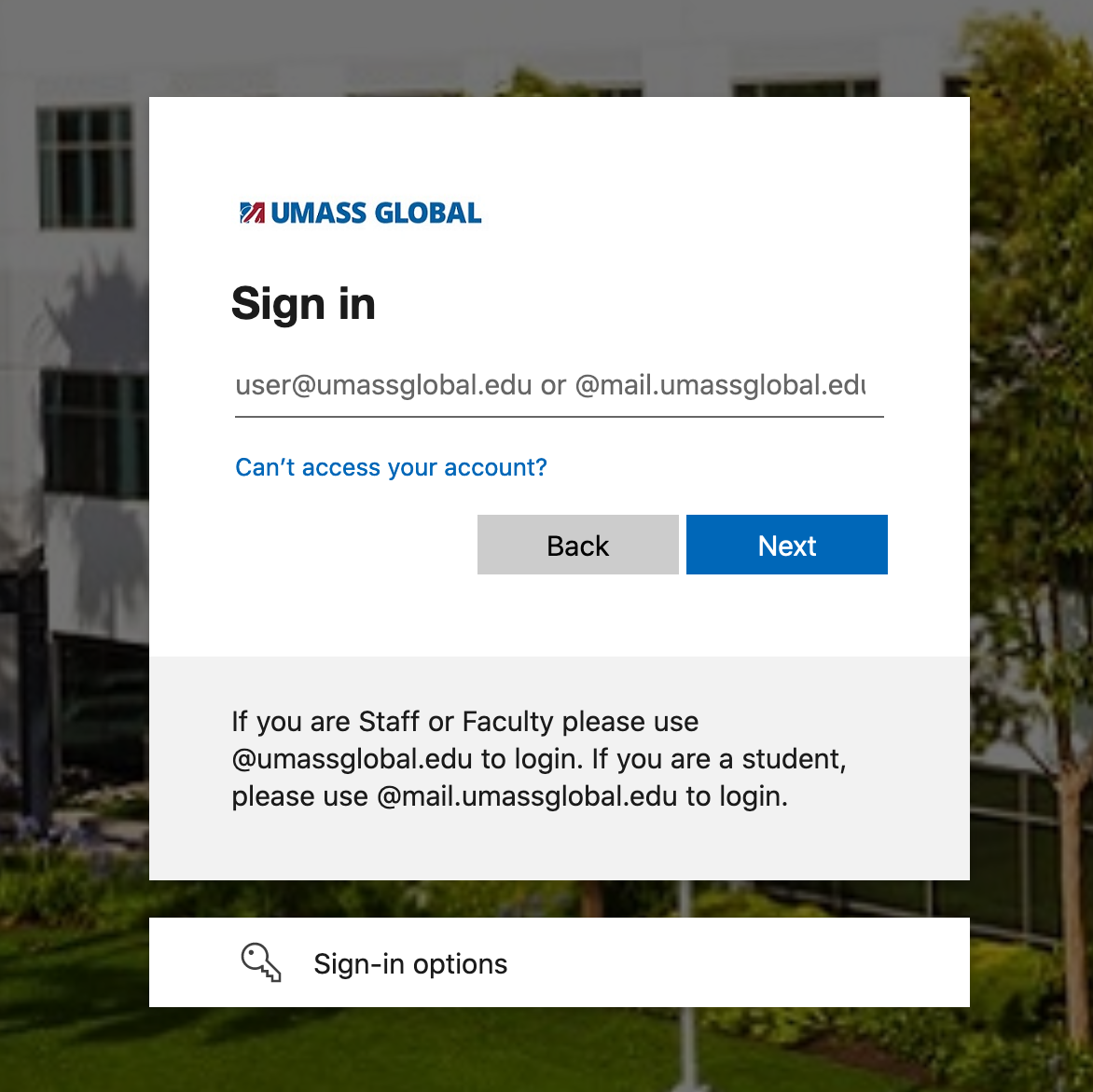
This is the same username and password you use to sign in to Blackboard and your student email.
After authentication, you should have a screen similar to this.
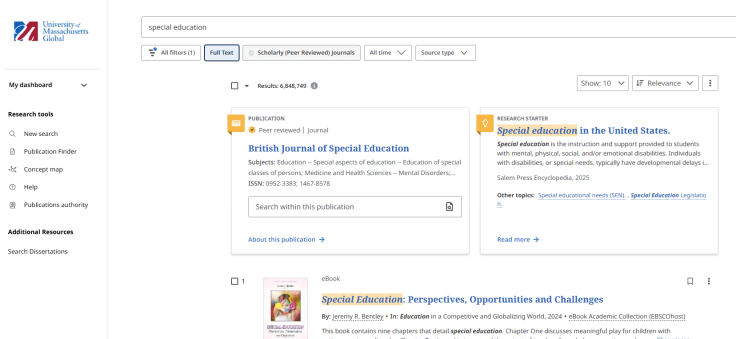
Below the search bar in the top center you will have various ways to narrow your search and your search results in the center. While you can use ebooks for your research we will be examining scholarly sources for this step-by-step guide. Click “Scholarly Peer Reviewed Journals” in the top center.
You can use any word. You can also provide multiple words to use and search with.
For your first search, it might be better to start with one word and find connecting words to use. Unlike Google which will produce Billions of non-academic and questionable results, we have started our academic search with about 3.6 million academic journals, reviews, and periodicals and will find ways to narrow our search results using the database tools! When I first wrote this search in 2016 it was millions of Google results and thousands found in our library. Our results have changed a bit! 
Refine Results
Using the tools located at the top of our search we can look for just Academic Journals and no book reviews or periodicals magazines and narrow our library database search.
In this image, you can see that I have already added the limit to Full Text. I have also changed the source types to Academic Journals only.
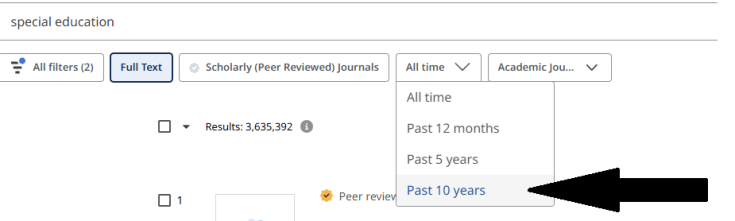
While this amount of many changes, I should now be at about over 3.6 million results. Since this amount is still high we will refine our results to just the last 10 years
I could also move the publication slider to just in the last 10 years.
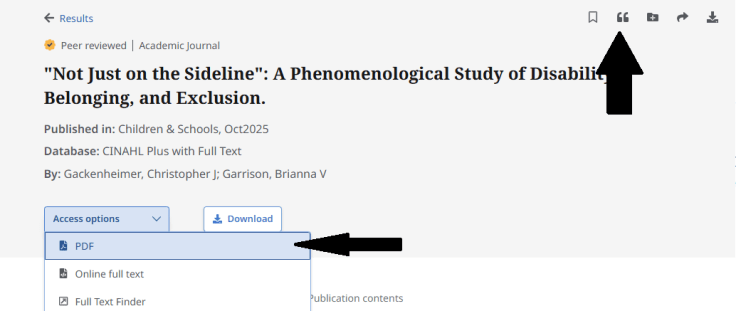
I found an example result that has a full PDF document I can download or an “online full text” which means a web version I can also read if I want to read it in that style. I think for academic research PDF files are the easiest to read and you can download these articles as files to your computer. REMINDER: These are the print materials that have been digitized.
On looking at this record you will find an abstract of the information in the article and also active links to more information and other keywords that might be used in the article which will help you to find related search words in your research.
From this article page, you can now click on the left on the full article PDF and download the article. Below the article title and subject terms is a short paragraph abstract to help you determine if the article summary is in line with your paper and research. You can also review the subject terms used by the author and explore more articles with that same subject term. You can also click on any of the author’s names and explore what other materials they have created that may be within our databases.
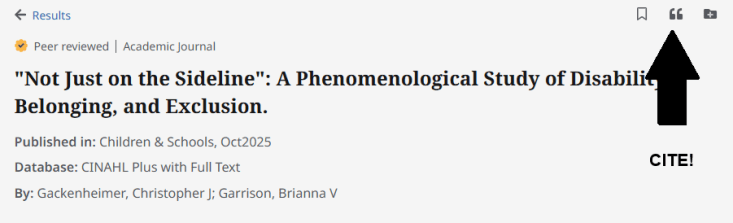
Cite your Work! You will also see in this last screenshot that there is an arrow to the link to cite this article. By clicking that link you can then access the APA citation for the article you have selected. Copy and paste this information into Word Pages, Google Docs, or whichever document program you may be using.
The cite button will also be useful so you can easily cite your article for your research.

References
Gackenheimer, C. J., & Garrison, B. V. (2025). “Not Just on the Sideline”: A Phenomenological Study of Disability, Belonging, and Exclusion. Children & Schools, 47(4), 249–257. https://doi-org.umassglobal.idm.oclc.org/10.1093/cs/cdaf021
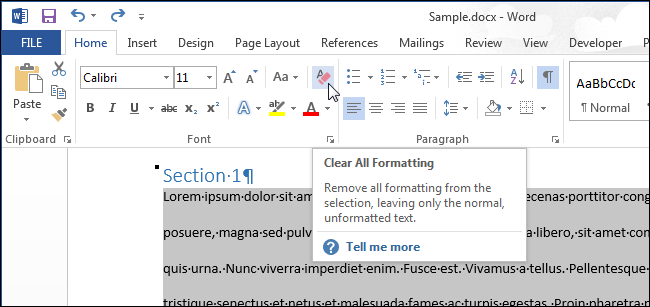
Don’t forget to use the clear formatting tool when you copy and paste this material into your document. Re-highlight the journal name after you click clear formatting to put your journal name back in italics!
Note: Most colleges and Universities use the 7th edition of APA formatting starting with Fall 1, 2020. This means that there are some changes between the 6th edition and the 7th edition APA. Make sure to review some of these changes.
https://www.scribbr.com/apa-style/apa-seventh-edition-changes/
Here is how a scholarly journal citation should look. The source is from Mount Royal University in Canada.


Here is a 2019 video I created for Barstow Community College in Barstow, CA to find academic journal articles using the EBSCO databases…. Barstow has Academic Search Complete but it is the same as Academic Search Premier that UMass Global uses. The material for EBSCOhost is about the same at 1:10 in the video.. please go easy on me… I know I sound like a robot drone! 🙂
I hope this helps, good hunting!
“Mr. Mac”
John Macomber
LBSU Adjunct Faculty, UMass Global
 John Macomber